


A look inside
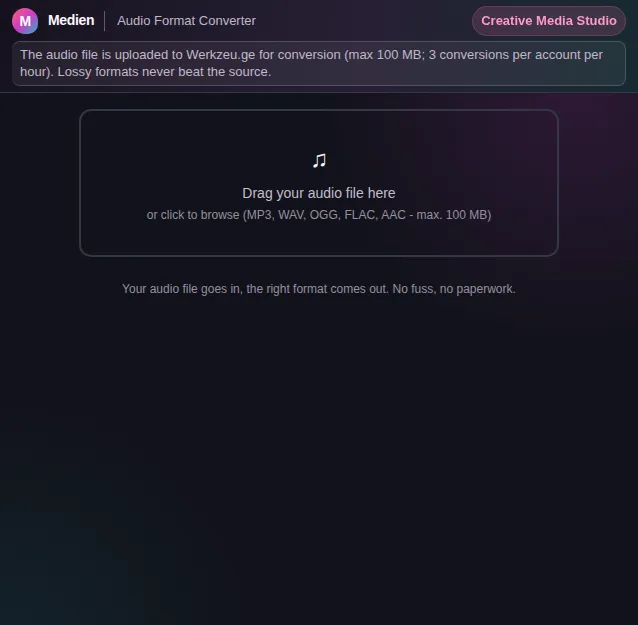
This safe preview shows what the tool is for without running account-only actions.
What Audio Format Converter does
Audio formats are a small jungle. MP3 plays everywhere, WAV is uncompressed and huge, FLAC is losslessly compressed, OGG is free and open, AAC sits inside many Apple devices. As soon as a device, a piece of software or a platform demands a particular format, you need a conversion - and the Audio Converter does it without installation and without command-line wizardry.
The operation is deliberately simple. You drag your audio file into the window or pick it from the file dialog. Then you choose the target format - MP3, WAV, OGG, FLAC or AAC - and start the conversion. The processing runs server-side with FFmpeg, the standard tool for audio and video processing, so you get a clean, correct result.
Every format has its purpose. To archive an uncompressed recording space-efficiently, FLAC is ideal because it stays lossless. For maximum compatibility when sending or uploading, MP3 is the pick. For further editing in many programs, WAV is the safe choice. The converter leaves the decision to you and produces exactly what you need.
Large files are no problem: up to 100 MB per file are allowed, which covers the vast majority of songs, podcasts, voice recordings and recordings. If the file is bigger or is not audio, you get a clear message instead of a silent failure.
After the conversion you download the result directly - or store it in the Aktenschrank, the Werkzeu.ge file manager, with one click so you have it handy later. That way your converted file does not just sit in the downloads folder but moves neatly into your archive.
The Audio Converter belongs to a whole family of audio tools: to join several files there is the Audio Merger; for tags and cover art there is the Metadata Editor; and to change tempo you use the Audio Speed Changer. Together they cover the typical tasks around audio files without needing heavy desktop software.
Features
Five formats
Convert between MP3, WAV, OGG, FLAC and AAC - from a lossless archive to a compatible MP3.
Drag and drop
Just drag the file into the window or pick it via the dialog - no learning curve.
FFmpeg processing
Server-side conversion with FFmpeg ensures a correct, clean result in every target format.
Up to 100 MB
Large songs, podcasts and recordings up to 100 MB per file convert without a hitch.
Download directly
The result is ready to download immediately, keeping the original file name with a new extension.
Save to the Aktenschrank
Store the converted file with one click in the Werkzeu.ge file manager.
How it works
- 1
Load the file
Drag your audio file into the window or pick it via the file dialog.
- 2
Choose the target format
Decide on MP3, WAV, OGG, FLAC or AAC - depending on what you need the file for.
- 3
Convert
Start the conversion. FFmpeg processes the file server-side and reports when it is done.
- 4
Download or archive
Download the result or save it straight to the Aktenschrank.
Who needs this
Frequently asked questions
Which formats are supported?
The target formats are MP3, WAV, OGG, FLAC and AAC. As input the converter accepts common audio files like mp3, wav, ogg, flac, m4a, aac, wma and opus.
How big can the file be?
Up to 100 MB per file. That covers the vast majority of songs, podcast episodes and voice recordings. If the file is bigger, you get a clear message instead of a silent error.
Do I lose quality in the conversion?
It depends on the target format. FLAC and WAV are lossless, MP3, OGG and AAC compress with loss. If quality matters and you want to keep editing, pick a lossless format. For compatibility and small files, MP3 is the classic.
Is my file stored?
The file is processed server-side for the conversion but not kept permanently. Only when you deliberately store the result in the Aktenschrank is it saved in your personal archive.
Do I need extra software?
No. The Audio Converter runs entirely in the browser as the interface, while the actual conversion is handled by the server with FFmpeg. You need to install nothing and touch no command line.
Related tools

Audio Merger
Merge multiple audio files into one. Reorder by dragging.

Audio Metadata Editor
Edit ID3 tags of your audio files. Title, artist, album, cover art.

Audio Speed Changer
Change audio speed without affecting pitch.

MP3 Cutter
Cut audio files with visual waveform. Set start and end by dragging.

Volume Normalizer
Normalize audio file volume to a consistent level.

Video to Audio Extractor
Extract audio track from videos as MP3, WAV, or OGG.
Ready to use Audio Format Converter?
No installation. Included from Plus. Open it right in your browser.
Open now