

Взгляд внутрь
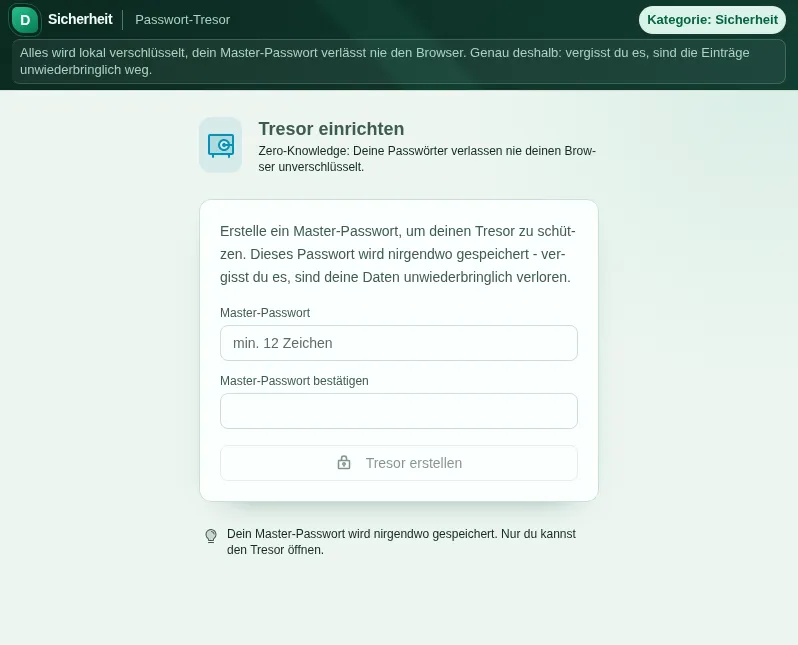
Этот безопасный просмотр показывает, для чего нужен инструмент, не выполняя действий, требующих аккаунта.
Что умеет Хранилище паролей
A password manager is only as trustworthy as its architecture. That is why the Passwort-Tresor is built strictly zero-knowledge: every entry is encrypted on your device before it is stored anywhere. Encryption runs through your browser Web Crypto API with AES-256-GCM, and the key is derived from your master password via PBKDF2 with 1,000,000 iterations. Your passwords exist in plain text only in the moment you look at them.
The master password never leaves your device. It is not stored, not transmitted, not hashed and kept anywhere - it is used solely to derive the key locally. The honest flip side: if you forget it, nobody can reset it. No support, no reset link, not even us. That is the whole point of the architecture: what we do not know, we cannot lose or hand over.
In daily use the vault behaves like a tidy desk. Entries have a title, username, password, URL and notes, can be sorted into categories, marked as favorites and searched. The built-in generator creates strong passwords right when you add an entry, removing the classic excuse of not being able to think of one.
The security audit shows you where it hurts: weak passwords, reused passwords and entries that have not been changed in ages. That is how you work off the legacy from the era when the same password with an exclamation mark at the end was used everywhere.
Where the vault lives, honestly: encrypted in this browser storage, tied to your account. Signing out does not delete it. Another browser, another device or clearing the site data will not see it though - there is no sync through our servers. That is why a regular encrypted backup is part of the deal.
Switching over does not mean starting from zero: CSV exports from LastPass, Bitwarden, KeePass and KeePassXC import directly, multi-line notes included. In the other direction you create an encrypted JSON export as a backup. "Restore backup" loads it again, also in another browser: pick the file, enter the backup master password, then replace or merge. If you keep the backup in the Aktenschrank, only the encrypted file is stored there.
For everyday protection there are the mechanisms you only miss once they are gone: auto-lock after a configurable idle time (5 to 60 minutes or never), and copied passwords are automatically removed from the clipboard after 30 seconds. An open vault on an unattended computer remains a risk though - even the best encryption does not protect against the colleague walking past your unlocked screen.
Функции
Zero-knowledge architecture
Encryption and decryption happen exclusively on your device. Only ciphertext is ever stored.
AES-256-GCM + PBKDF2
Web Crypto API with AES-256-GCM, key derivation via PBKDF2 with 1,000,000 iterations and SHA-256.
Security audit
Spots weak, reused and long-unchanged passwords at a glance.
Import from other managers
CSV import from LastPass, Bitwarden and KeePass - switching takes minutes, not evenings.
Encrypted backup
Backup as an encrypted JSON file, and "Restore backup" with the backup master password - replace or merge.
Auto-lock
The vault locks itself after a configurable idle period - 5, 15, 30 or 60 minutes. Your choice is remembered.
Буфер обмена очищается
Copied passwords are automatically removed from the clipboard after 30 seconds.
Organisation built in
Categories, favorites, search and an integrated password generator right where you add entries.
Как это работает
- 1
Create your vault
Choose a strong master password - ideally a long passphrase. It is the only key and cannot be reset.
- 2
Add or import entries
Add credentials one by one or import the CSV export from LastPass, Bitwarden or KeePass.
- 3
Work through the audit
Open the security audit and replace weak and duplicate passwords with the built-in generator.
- 4
Daily use: copy and let it lock
Copy passwords as needed - the clipboard clears after 30 seconds and the vault locks itself when idle.
Кому это нужно
Частые вопросы
Where is my vault stored, and what happens when I sign out?
Your vault is stored encrypted in this browser only, tied to your account. Signing out does not delete it. In another browser or after clearing the site data it is not there, because it is not synced through our servers. So make an encrypted backup regularly and load it with "Restore backup" when needed.
What exactly does zero-knowledge mean?
All entries are encrypted and decrypted on your device. Only ciphertext is ever stored, and the master password never leaves your device. Nobody but you can read the contents - not even us. No software can promise absolute security, but the architecture ensures there simply is no plain-text copy of your passwords outside your device.
What happens if I forget my master password?
Then the data is gone - honestly and irrecoverably. There is no reset and no backdoor, because the master password is not stored anywhere. That is exactly where the vault gets its trustworthiness from. So pick a memorable passphrase and keep an encrypted export as a backup.
Can I migrate from LastPass, Bitwarden or KeePass?
Yes. Export your entries there as CSV and import the file into the vault. Entries are encrypted locally the moment they are imported. Afterwards you should delete the unencrypted CSV file - it is the only plain-text intermediate step.
What encryption is used?
AES-256-GCM via your browser Web Crypto API. The key is derived from your master password via PBKDF2 with 1,000,000 iterations and SHA-256. These are established, openly documented standards - no home-grown crypto.
Does a copied password linger in the clipboard?
No. Copied passwords are removed from the clipboard automatically after 30 seconds so they do not get pasted somewhere by accident. On top of that, the vault locks itself after a configurable idle period.
Похожие инструменты

Генератор паролей
Erzeuge kryptographisch sichere Passwörter und Passphrasen. Länge und Zeichensatz einstellbar…

Календарь истечения пароля
Plane deinen Konten-Check im Intervall, das du selbst wählst, und erhalte Kalender-Erinnerung…

Проверка хеша
Berechne MD5, SHA-1, SHA-256, SHA-384, SHA-512 Hashes und HMAC. Dateien und Texte hashen, ver…
Шифрование электронной почты
Verschlüssele, entschlüssele und signiere Nachrichten mit RSA-OAEP, AES-256-GCM und RSA-PSS,…
Начнём с Хранилище паролей?
Без установки. Входит в Plus. Открывай прямо в браузере.
Открыть сейчас